• 100% offline
  • On-device transcription
  • AI under control

From field notesto a published article.

A notes app, offline first. AI only if you approve.

Free · No credit card · Works offline

Built for
  • Journalists
  • Researchers
  • NGOs & missions
  • Freelancers
  • 100% offline
  • Journalists
  • Open Markdown
  • Researchers
  • AI under control
  • NGOs & missions
  • On-device vault
  • Freelancers

100% offline

Dictate and shoot with no signal. Sync runs when nTilia is open, the vault unlocked, and you have a network.

Open Markdown

Import, export, no lock-in.

AI under control

It proposes. You accept. Nothing rewrites itself.

On-device vault

A secret phrase. Sensitive notes never leave the device.

01How it works

From the field to publication, without switching tools.

Capture09:42 · Maroua · offline

Capture on the spot, even without a network

Dictate offline, take a photo on the spot, group the trip into a Mission. Notes, audio, photos, place, and GPS stay in the Mission folder and auto-save locally. Transcription can run on-device so the file never goes to the cloud. Sync waits for Wi-Fi, not the other way around.

Refine18:10 · newsroom Wi-Fi

Refine once you’re back online

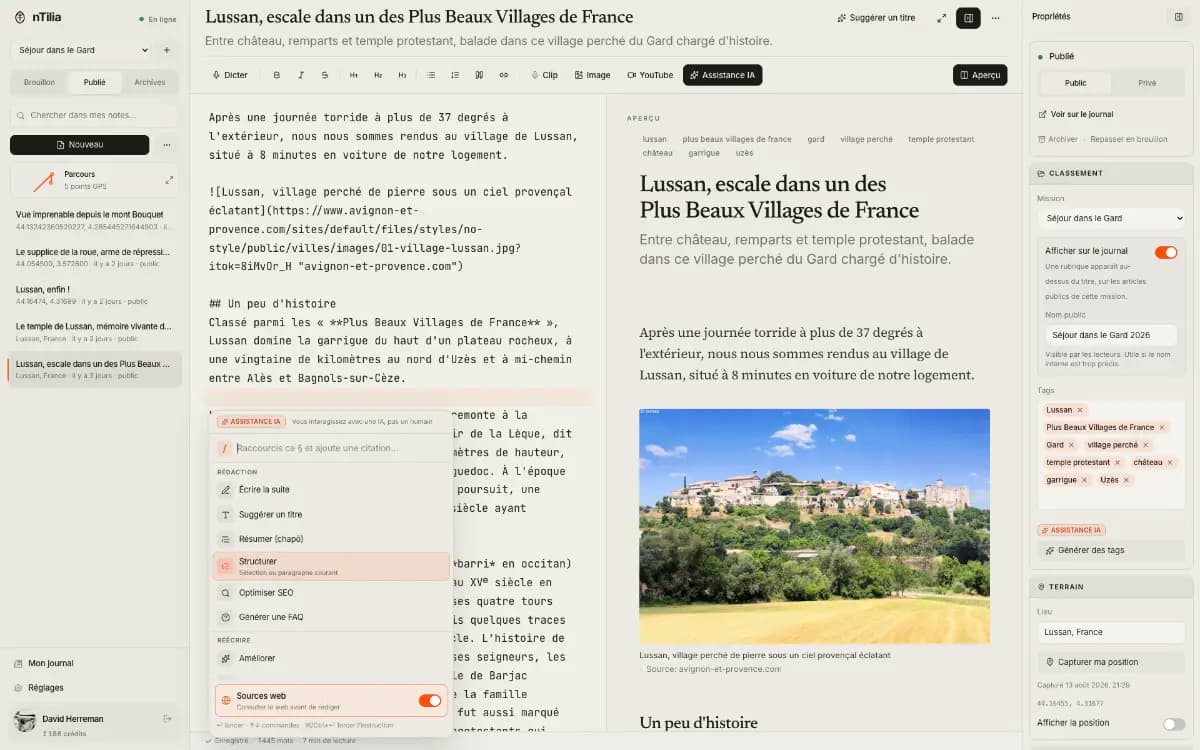
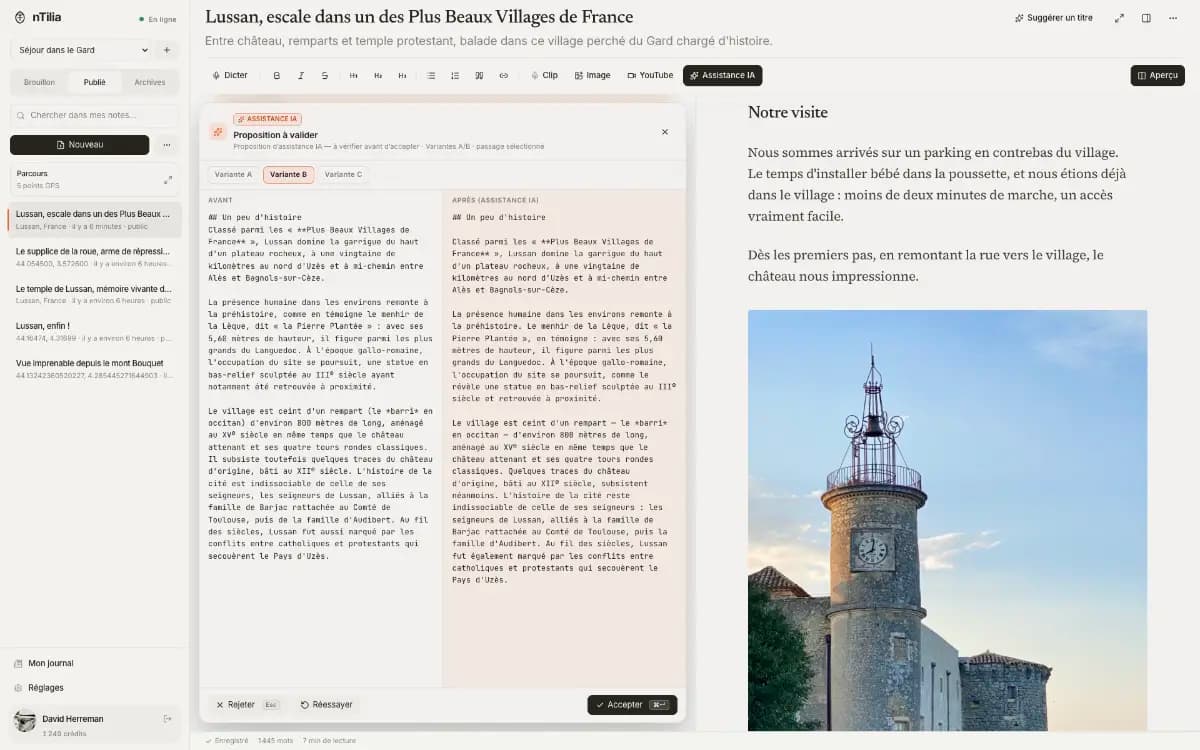
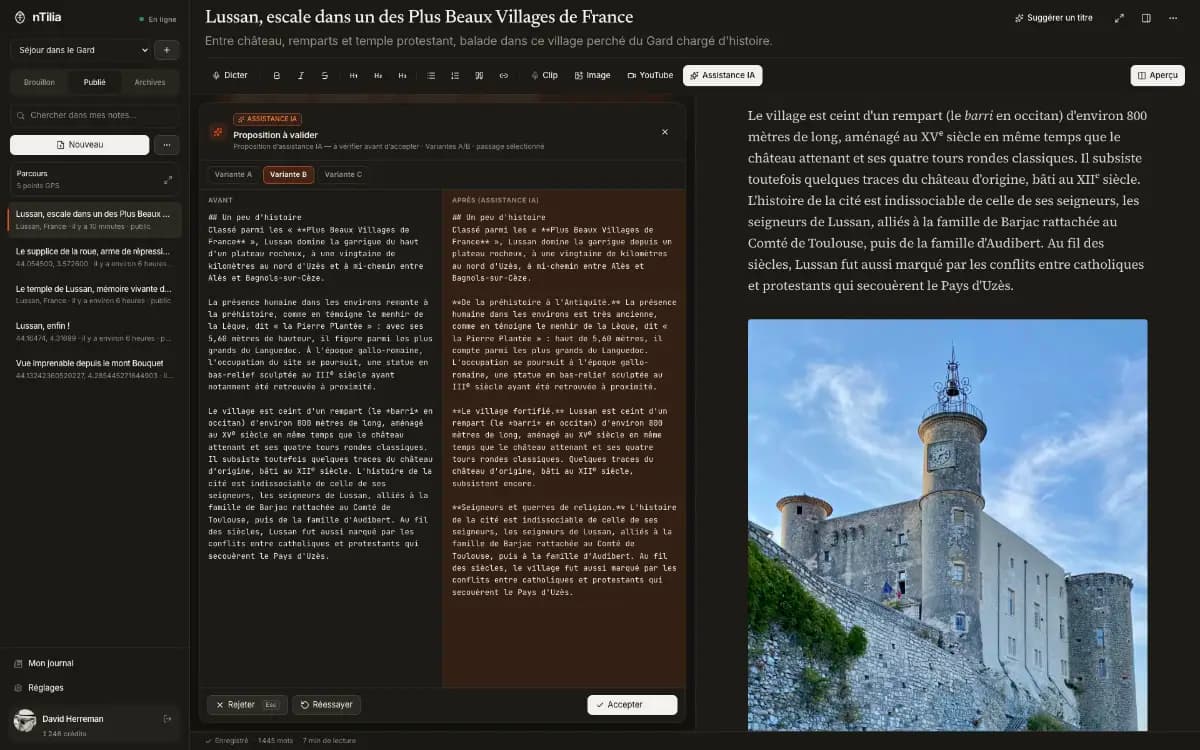
When you are back online, type / to ask nTilia to fix spelling, translate, match your voice, or get a piece ready to publish. Every proposal goes through a Before / After review. Nothing is applied without your explicit accept.

nTilia AI assistance: a proposal to review, before / after comparisonnTilia AI assistance: a proposal to review, before / after comparison

PublishD+3 · live · FR / EN

Publish a journal people can follow

Drafts stay local, posts can be public or private, and one article can live in two languages. Readers pick FR or EN. Keep your archive in open Markdown — no lock-in.

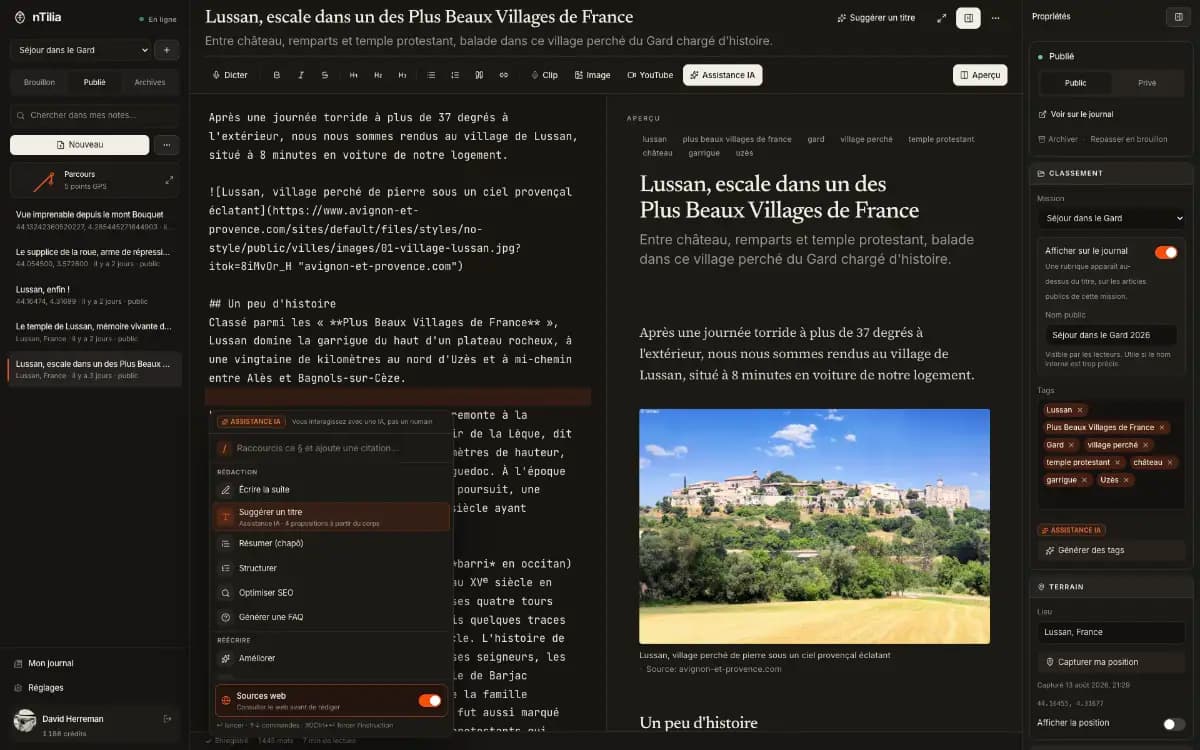
The nTilia editor: an article in progress, reading preview, and properties panelThe nTilia editor: an article in progress, reading preview, and properties panel
02On the device

Capture here. Encrypt here. Transcribe here.

Most tools send audio and drafts to a server first. nTilia flips that: you capture and encrypt here. Whisper stays on the phone. When signed in, takes leave privately once nTilia is open and the vault unlocked — not from a locked pocket.

Encrypted vault

A secret phrase unlocks the device. Notes marked “device” never sync.

Direct takes

Photo or audio from the home screen, without opening a note. You attach them later, including offline. When signed in, they sync (private) once nTilia is open and the vault unlocked.

On-device transcription

The model installs once. After that, transcription works offline and the audio never leaves. Pro and up.

03Missions

A mission, not a pile of files.

Five days in Maroua. A portrait in Brussels. Without a Mission, it all mixes. With one, the trip has a container: notes, audio, a private map, export. Nothing else.

  1. 01One folder per tripName, place, timezone. New notes land there on their own.
  2. 02Unassigned stays intactYour existing notes stay aside. Nothing is filed for you.
  3. 03Export this missionOne ZIP: notes, audio and metadata from that folder, on this device. Prepare to leave runs sync + export before you lose the network.
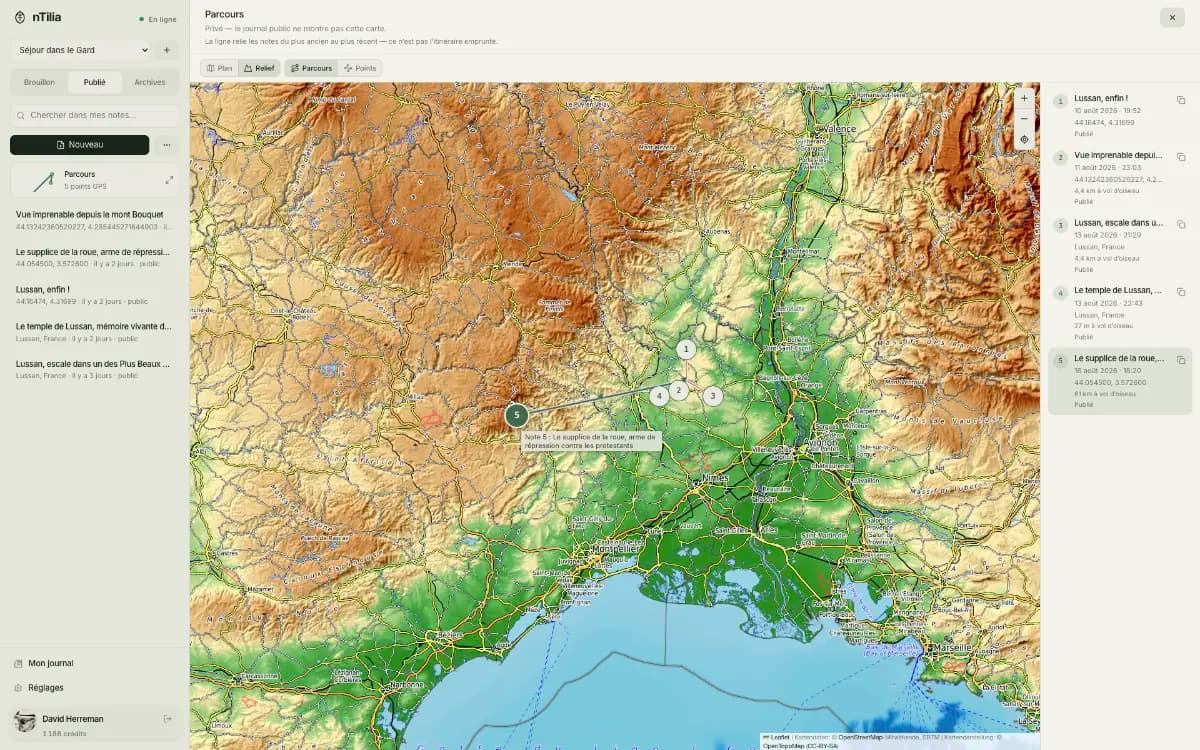
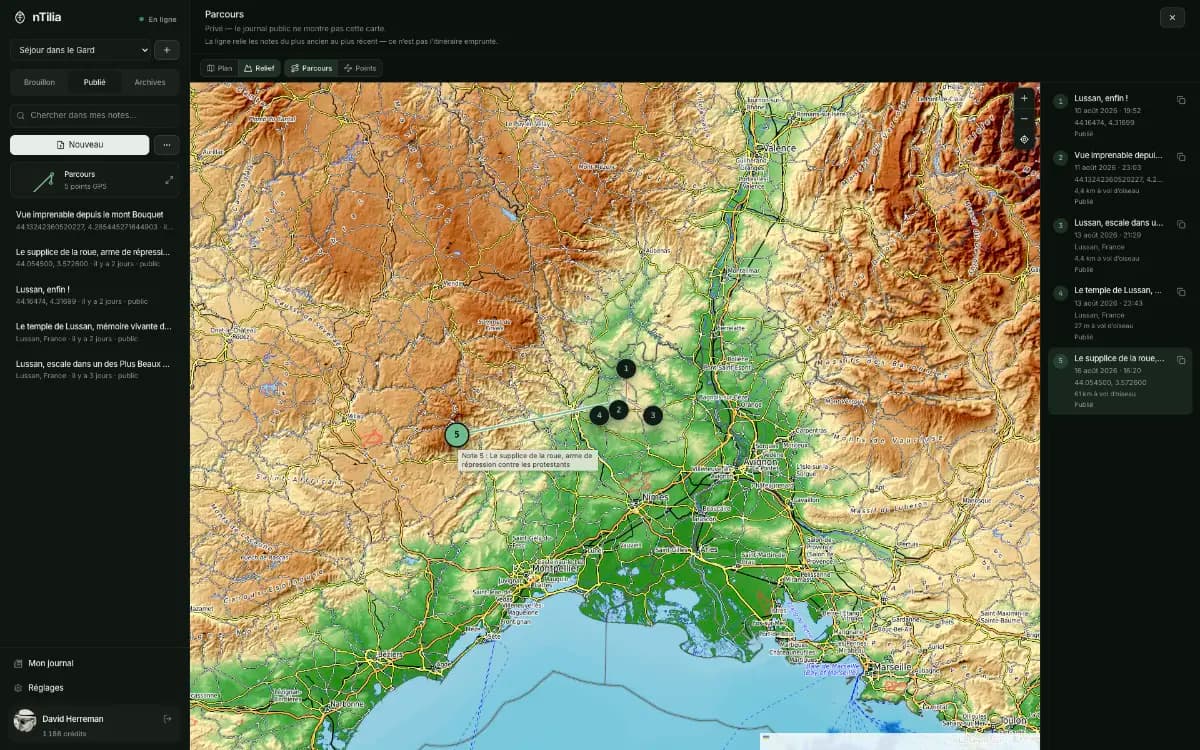
  4. 04Route mapNotes with GPS land on a private map. The public journal does not see it.
Read the Bertoua journal
04Travel Mode

At the barrier, no names left on the phone.

A Pro journalist tells it: Léa at the desk, two Missions, a checkpoint. A fictional story — and what nTilia does not cover.

Read the story
05Research

A field notebook that becomes citable.

Ecology, public health, social sciences: readings are taken offline, the abstract and co-authors are declared in the inspector, and the article gets a Zenodo DOI without leaving the editor. Zotero reads it in one click.

  1. 01One-click Zenodo DOIPreprint PDF + Markdown source deposited at CERN’s archive. The DOI flows into APA, BibTeX, RIS, JATS and JSON-LD. From Pro.
  2. 02Co-authors & ORCIDName, ORCID, affiliation, role. Multi-name byline, JATS, RIS, BibTeX, Zenodo creators.
  3. 03Footnotes & formulas[^1] and $…$ rendered server-side: article, preview, RSS, PDF. No CDN.
  4. 04Findable by Google ScholarScholarlyArticle JSON-LD, Highwire tags, abstract up top, Academic style: numbered figures and tables.
Read the story — an ecologist, a pond, a DOI
06Field photo

The photo in the note, not in an album.

On the phone: shoot, caption, insert. Works offline. The image lives in the article.

  1. 01Camera or libraryTake a photo on the spot, or pick one already on the phone.
  2. 02Caption and sourceWhat it shows, and who to credit.
  3. 03In the note, as MarkdownInsert writes the image into the article. No parallel library.
Mobile Insert an image sheet: camera, library, caption and source.
07Artificial intelligence

Editing AI, not a generic chatbot.

Type / in the editor: spelling, translation, voice, checklist, tones, sources, FAQ. Right inside your Markdown. AI proposes. You decide.

You stay in control

Nothing changes until you accept. Esc to reject, ⌘↵ to accept.

Also in the / menu

  • /Continue writing
  • /Titles & lede
  • /Dictation → prose
  • /A/B variants
  • /Sourced research
  • /SEO
  • /FAQ block
See plans with AI
  1. 01Spelling & grammarFixes FR or EN without breaking your style.
  2. 02Bilingual journal FR ↔ ENWrite in one language. AI proposes the other. You review, then publish.
  3. 03Personal voiceSave your writing samples in Account. A passage rewritten so it sounds like you.
  4. 04Ready to publishSpelling, clarity, a checklist. Then you go live.
  5. 05Work tonesJournalist / field, donor update, team brief. Or classic, poetic, friendly.
  6. 06Sources & researchFlag claims that need sources. On Pro+, web search and a sourced passage.
  7. 07FAQ blockQ&A drawn from the article, for your readers.
  8. 08Background dossierA sourced brief of the place: geography, hazards, history, society. For you, not added to the note. Pro+.
08Around the writing

Your words, your files, your readers.

A bilingual journal, rare among Markdown editors

Write in French, publish in English too. AI translates, you approve. A correction archives the previous version — readers can still compare.

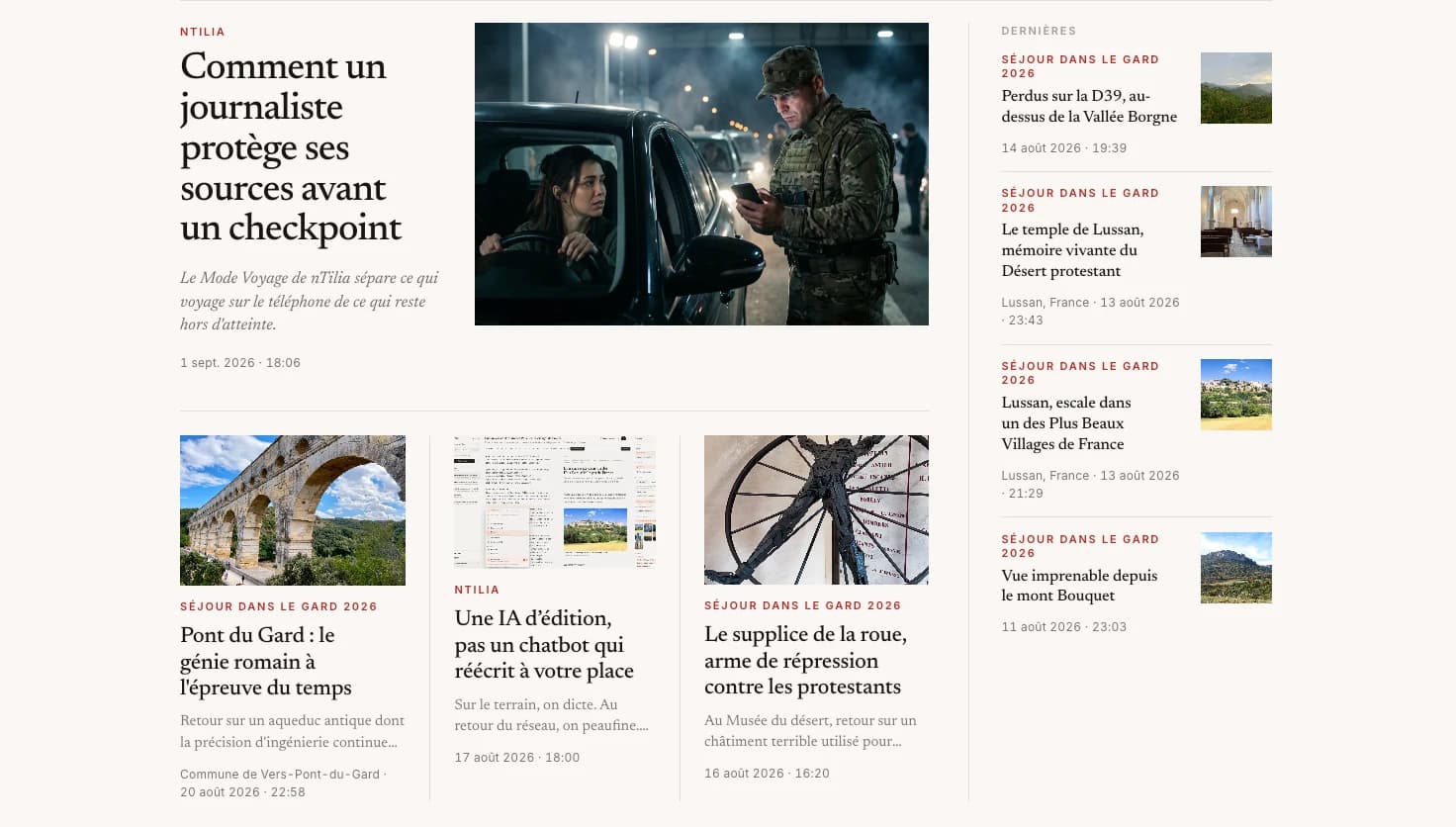
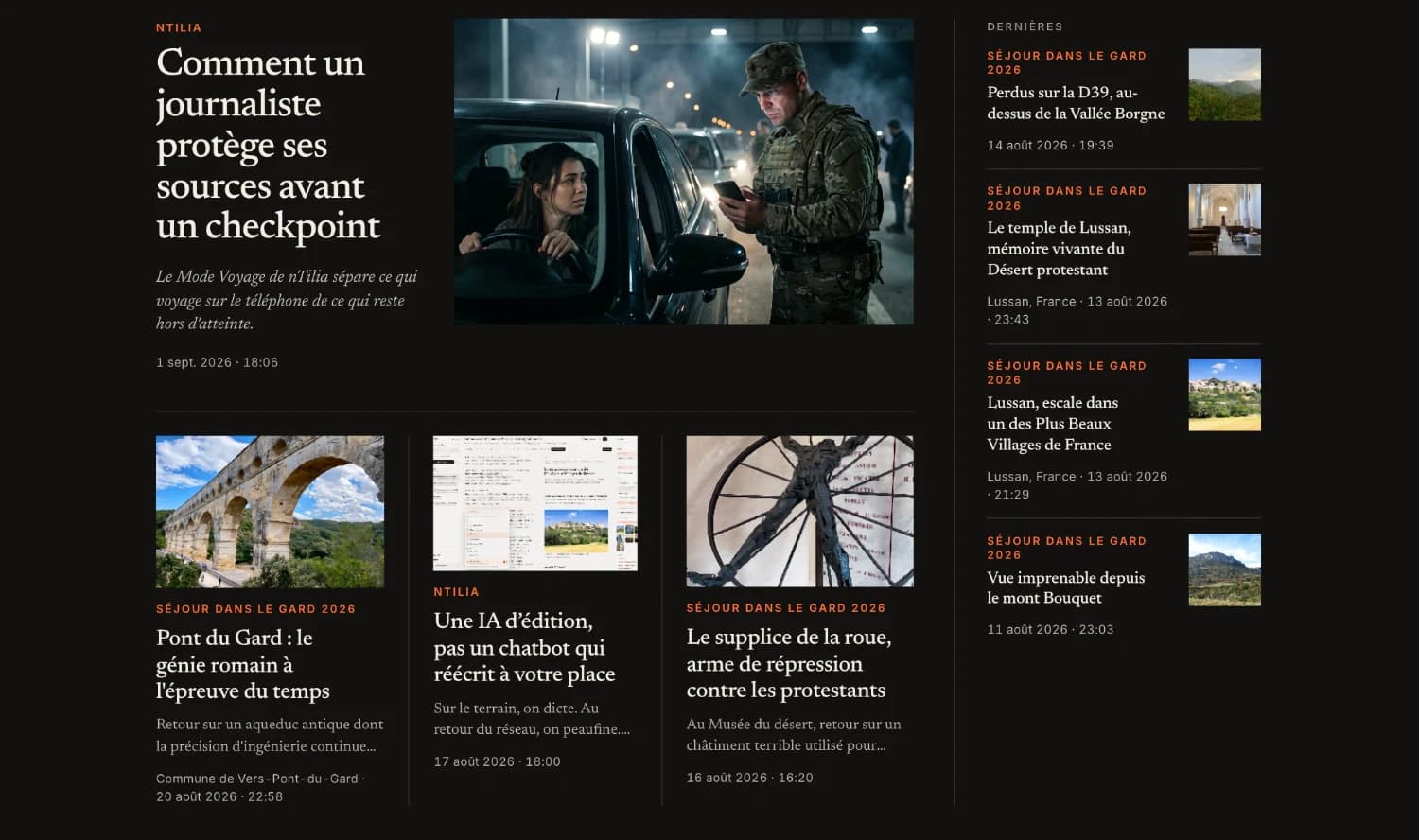
An nTilia journal front page: lead story with photo, secondary stories and latest postsAn nTilia journal front page: lead story with photo, secondary stories and latest posts

Field missions

One folder per trip. “Prepare to leave”: sync + ZIP on this device, for a network outage. That is not the checkpoint gesture.

Travel Mode

Safe recipient, empty device at a checkpoint, Empty or Burn. The off-body copy survives even if your private cloud is destroyed.

Read the story

Installable everywhere

On phone and desktop. Install it — otherwise the browser can wipe storage.

09FAQ

Your questions, before you dive in.

Eleven short answers: privacy, offline, AI, Missions, Travel Mode and citable research.

01Are my notes private?

By default, everything stays on the device. Notes marked “device” never sync. With the vault on, notes, takes and missions are encrypted here. When signed in, notes and takes leave (private) once nTilia is open, the vault unlocked, and you have a network. Once synced, nTilia can read them — for sync and the journal. Publishing is a choice, article by article.

02Does offline really work?

Yes. Capture, dictation, takes and editing work with no network. Transcription runs on the device. Sending a photo already attached to an article, and cloud AI, need a connection. Sync does not run from a locked pocket: reopen nTilia, unlock the vault, network present.

03How much does the AI cost?

The free plan includes 40 credits every week. Every action is triggered by you, never in the background. Your balance stays visible in the editor.

04Is the file format proprietary?

No. Open Markdown: import .md files, export a ZIP (notes, audio, metadata). Leave whenever you want, with everything.

05How do I try it?

Open the editor in your browser and start writing. Free, no credit card.

06Can I publish in French and English?

Yes. One article, two linked versions. AI proposes the translation. Nothing goes live until you review and publish. Readers pick FR or EN. Notes you don’t translate stay in their original language.

07What is a Mission?

A field folder. You create it before a trip. Notes, photos and audio attach to it. Notes with GPS appear on a private map. The ZIP export takes that folder only, on this device. Before you lose the network: Prepare to leave runs sync + ZIP. Everything else stays in Unassigned.

08Do audio and sensitive notes go to the cloud?

Whisper stays local: audio is not sent for transcription. When signed in, takes sync (private, readable by nTilia) once the app is open, the vault unlocked, and you have a network — not from a locked pocket. Notes marked “device” never sync. The mission ZIP is your copy on this device.

09What if I correct a published article?

Each “Update” archives the version that was live. Readers can still read it and compare. You can republish an earlier version; a correction note appears under the date.

10What is Travel Mode?

From Pro: an off-body copy with a safe recipient (newsroom, desk), then the device no longer carries sensitive notes. “Prepare to leave” leaves a ZIP on the phone — the opposite of a checkpoint. Empty wipes nTilia here; the cloud stays. Burn also empties the private cloud; the recipient drop is not destroyed. nTilia is not the whole phone, and IndexedDB is not a forensic wipe. Distinct from sensitive-field mode (GPS hidden on the public journal).

Read the story — a Pro journalist, a checkpoint.

11Can a researcher get a DOI and be cited?

Yes. Every article has a Cite block (APA, Chicago, BibTeX, RIS, JATS) and Highwire meta tags that Google Scholar reads. You declare an abstract and co-authors with ORCID and affiliation; footnotes and KaTeX math render server-side. From Pro, “Deposit on Zenodo” sends a preprint PDF and the Markdown source to CERN’s archive: the DOI comes back into the frontmatter and every citation format. The Research profile renames missions to projects and suggests the Academic style.

Read the story — the field notebook that becomes citable.

Made for the field

Your next story starts in the field.

Open a Mission. Capture. Encrypt what must stay here. Publish when it’s ready.

Free · No credit card · Works offline