Made for the field

From field notes to a published story.

Capture offline. Refine when you’re back, and only what you approve. Publish a bilingual journal.

Free · No credit card · Works offline

100% offline

Dictate and shoot with no signal. Sync waits for Wi-Fi.

Open Markdown

Import, export, no lock-in.

AI under control

It proposes. You accept. Nothing rewrites itself.

On-device vault

A secret phrase. Sensitive notes never leave the device.

Built forJournalistsResearchersNGOs & missionsFreelancers

How it works

From the field to publication, without switching tools.

01 — Capture

Capture on the spot, even without a network

Photos and audio land in Takes first, without opening a note. Dictation, GPS, vault: everything stays local. You attach them to the story later.

02 — Refine

Refine once you’re back online

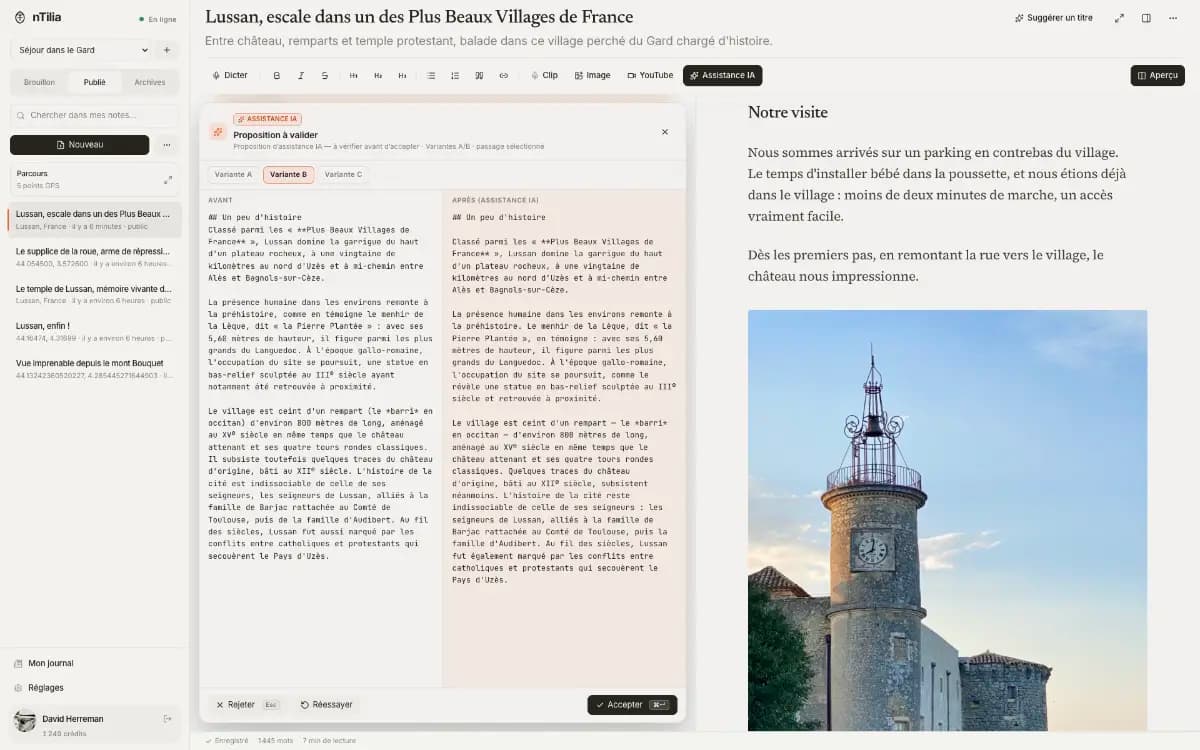
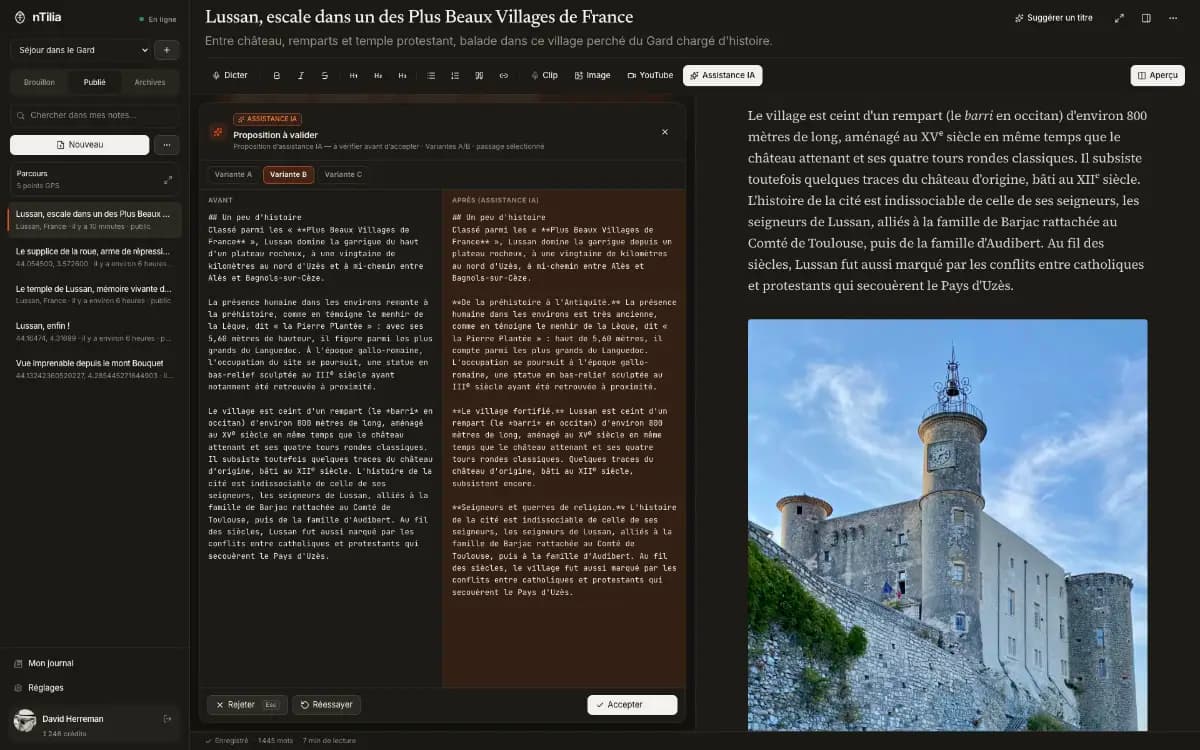
Type / : spelling, translation, voice. Every proposal shows Before / After. Nothing is applied until you accept.

nTilia AI assistance: a proposal to review, before / after comparisonnTilia AI assistance: a proposal to review, before / after comparison

Spelling & grammar

Before

The stalls opens, low sun cuting the facades.

After

The stalls open. Low sun cuts the façades.

RejectAccept

03 — Publish

Publish a journal people can follow

Local draft, then public if you choose. One article, two languages. Readers pick FR or EN.

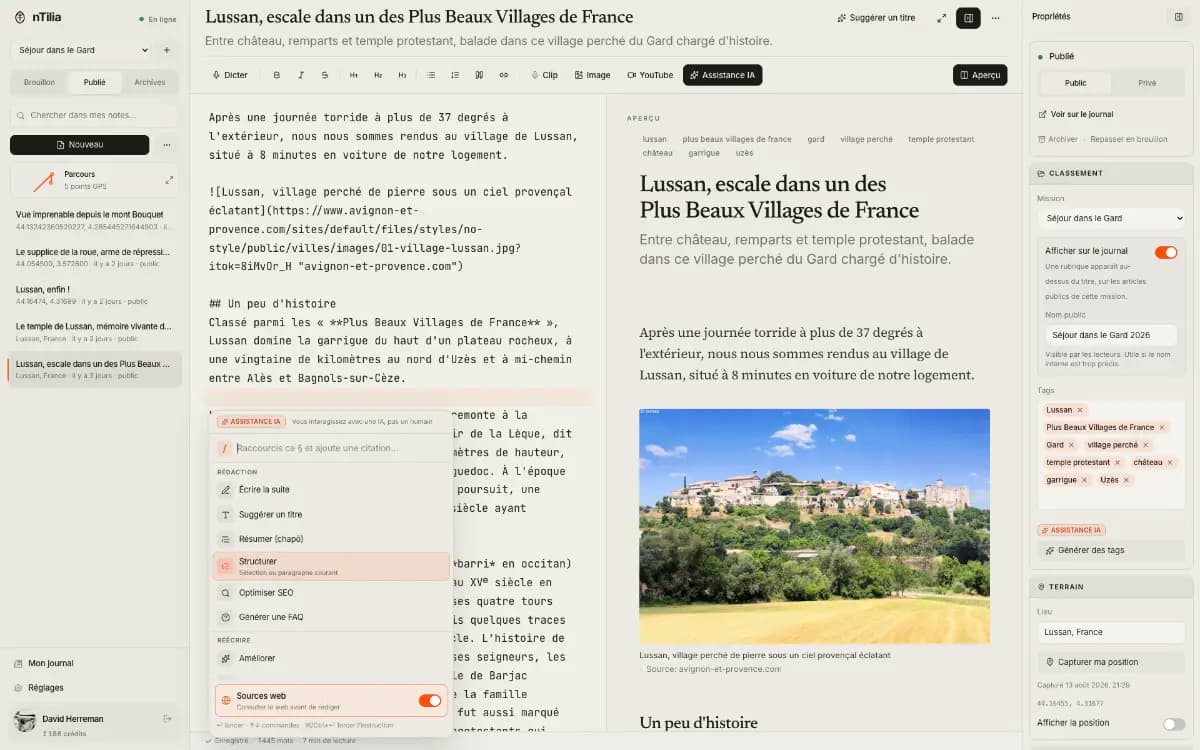
The nTilia editor: an article in progress, reading preview, and properties panelThe nTilia editor: an article in progress, reading preview, and properties panel

Mission export

  • notes/market.md
  • audio/clip-01.webm
  • metadata.json

On the device

Capture here. Encrypt here. Transcribe here.

Most tools send audio and drafts to a server first. nTilia flips that: takes, the vault and transcription stay on the phone. The cloud only steps in if you choose it.

Encrypted vault

A secret phrase unlocks the device. Notes marked “device” never sync.

Direct takes

Photo or audio from the home screen, without opening a note. You attach them later, including offline.

On-device transcription

The model installs once. After that, transcription works offline and the audio never leaves. Pro and up.

Missions

A mission, not a pile of files.

Five days in Maroua. A portrait in Brussels. Without a Mission, it all mixes. With one, the trip has a container: notes, audio, a private map, export. Nothing else.

01

One folder per trip

Name, place, timezone. New notes land there on their own.

02

Unassigned stays intact

Your existing notes stay aside. Nothing is filed for you.

03

Export this mission

One ZIP: notes, audio and metadata from that folder. Not the whole workspace.

04

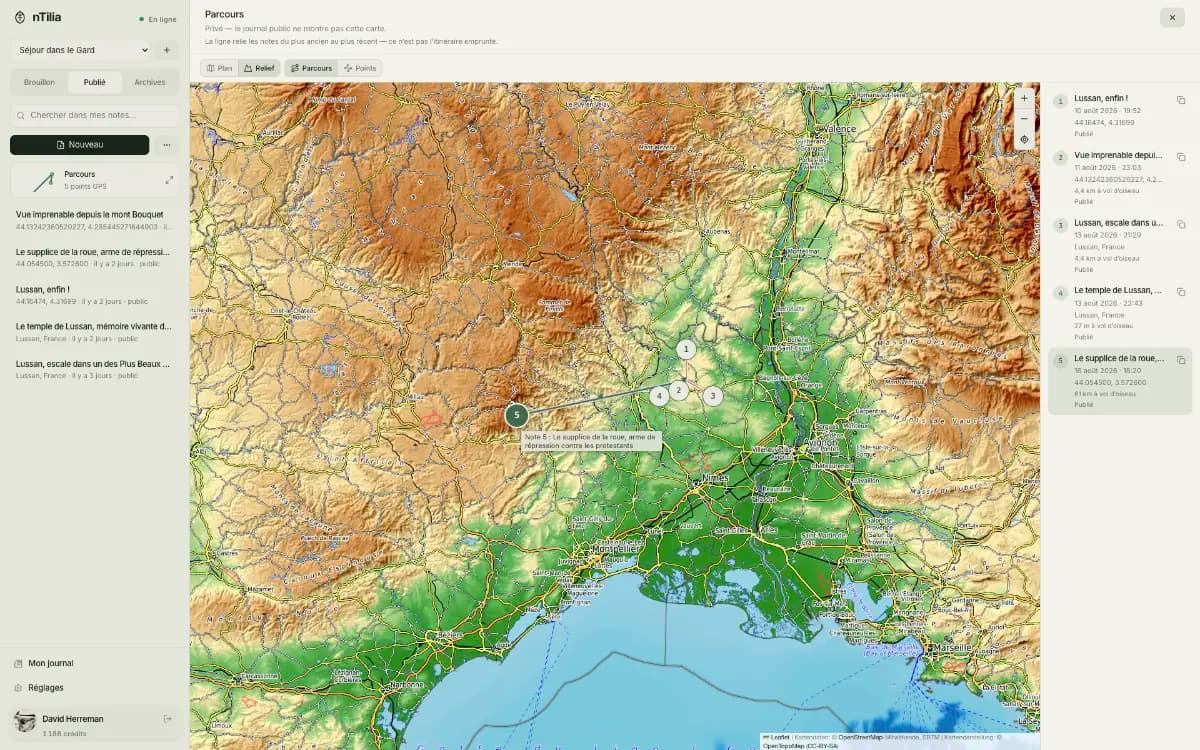
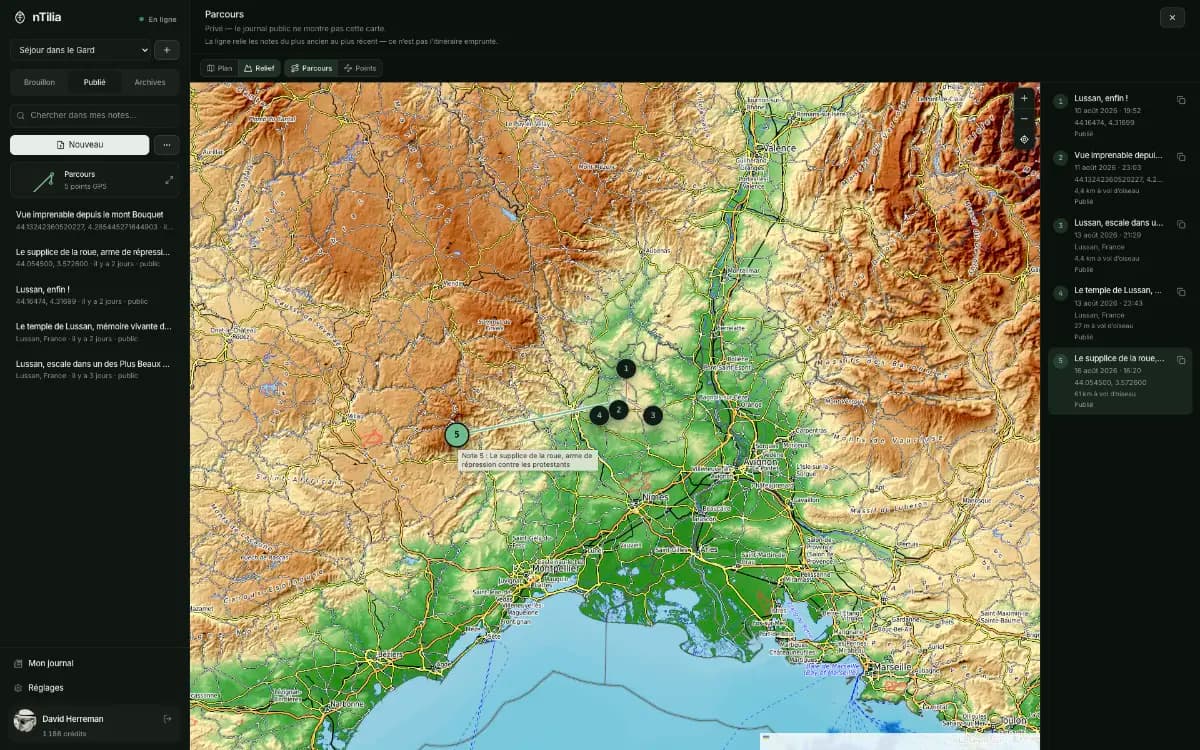
Route map

Notes with GPS land on a private map. The public journal does not see it.

Read the Bertoua journal
A nTilia Mission map: route, GPS points, and field notesA nTilia Mission map: route, GPS points, and field notes

Field photo

The photo in the note, not in an album.

On the phone: shoot, caption, insert. Works offline. The image lives in the article.

  • 01

    Camera or library

    Take a photo on the spot, or pick one already on the phone.

  • 02

    Caption and source

    What it shows, and who to credit.

  • 03

    In the note, as Markdown

    Insert writes the image into the article. No parallel library.

Mobile Insert an image sheet: camera, library, caption and source.

Artificial intelligence

Editing AI, not a generic chatbot.

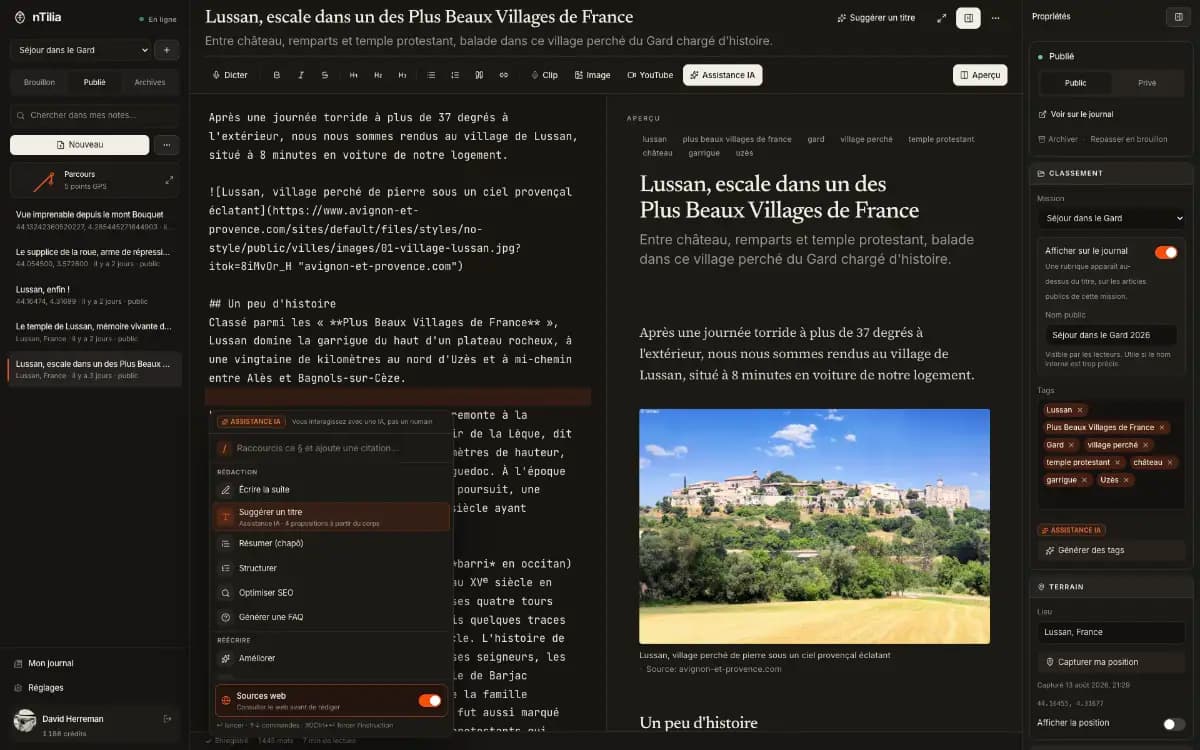
Type / in the editor: spelling, translation, voice, checklist, tones, sources, FAQ. Right inside your Markdown. AI proposes. You decide.

You stay in control

Nothing changes until you accept. Esc to reject, ⌘↵ to accept.

Also in the / menu

  • Continue writing
  • Titles & lede
  • Dictation → prose
  • A/B variants
  • Sourced research
  • SEO
  • FAQ block
nTilia AI assistance: a proposal to review, before / after comparisonnTilia AI assistance: a proposal to review, before / after comparison

Spelling & grammar

Fixes FR or EN without breaking your style.

Bilingual journal FR ↔ EN

Write in one language. AI proposes the other. You review, then publish.

Personal voice

Save your writing samples in Account. A passage rewritten so it sounds like you.

Ready to publish

Spelling, clarity, a checklist. Then you go live.

Work tones

Journalist / field, donor update, team brief. Or classic, poetic, friendly.

Sources & research

Flag claims that need sources. On Pro+, web search and a sourced passage.

FAQ block

Q&A drawn from the article, for your readers.

Background dossier

A sourced brief of the place: geography, hazards, history, society. For you, not added to the note. Pro+.

Around the writing

Your words, your files, your readers.

A bilingual journal, rare among Markdown editors

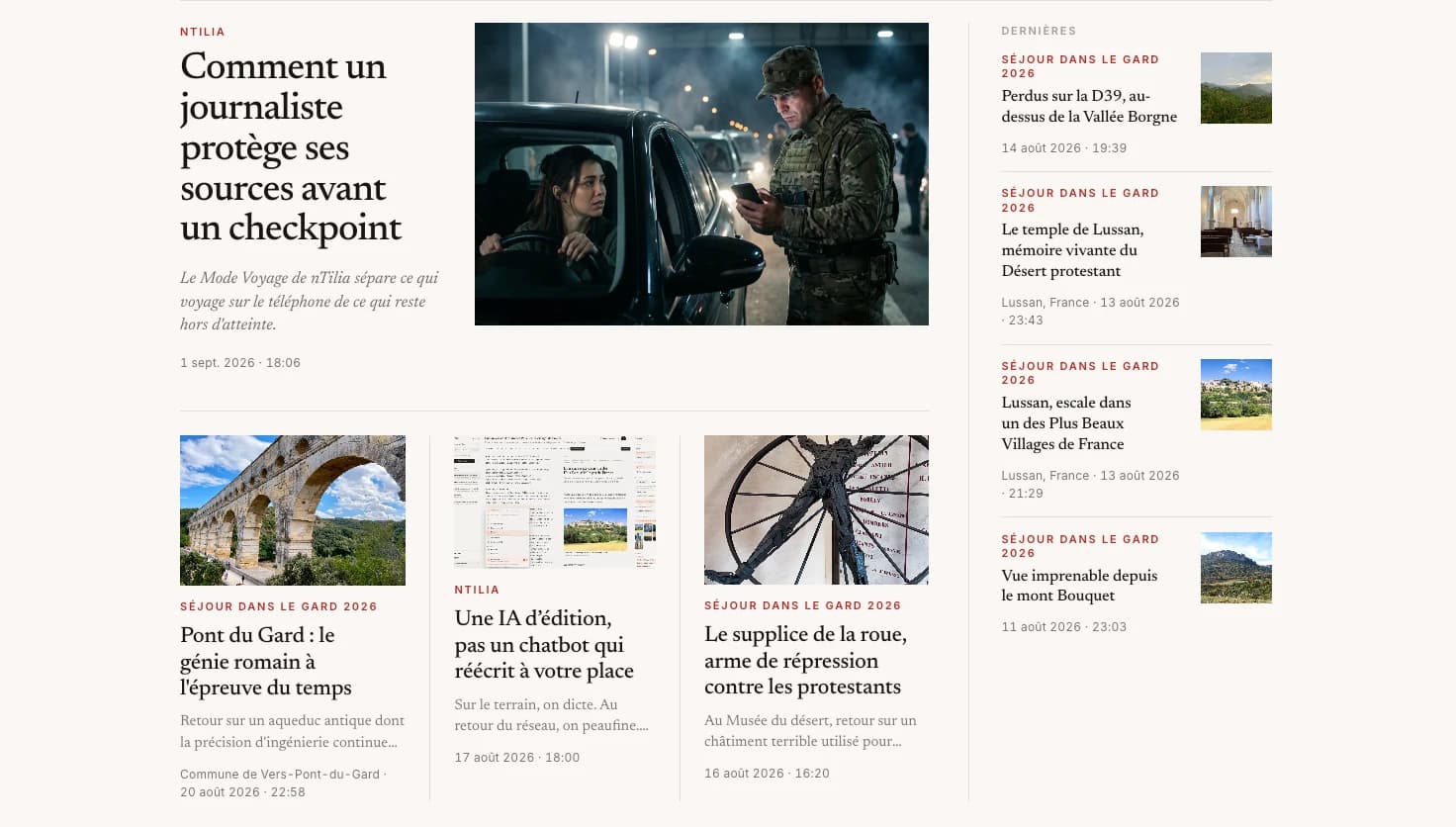
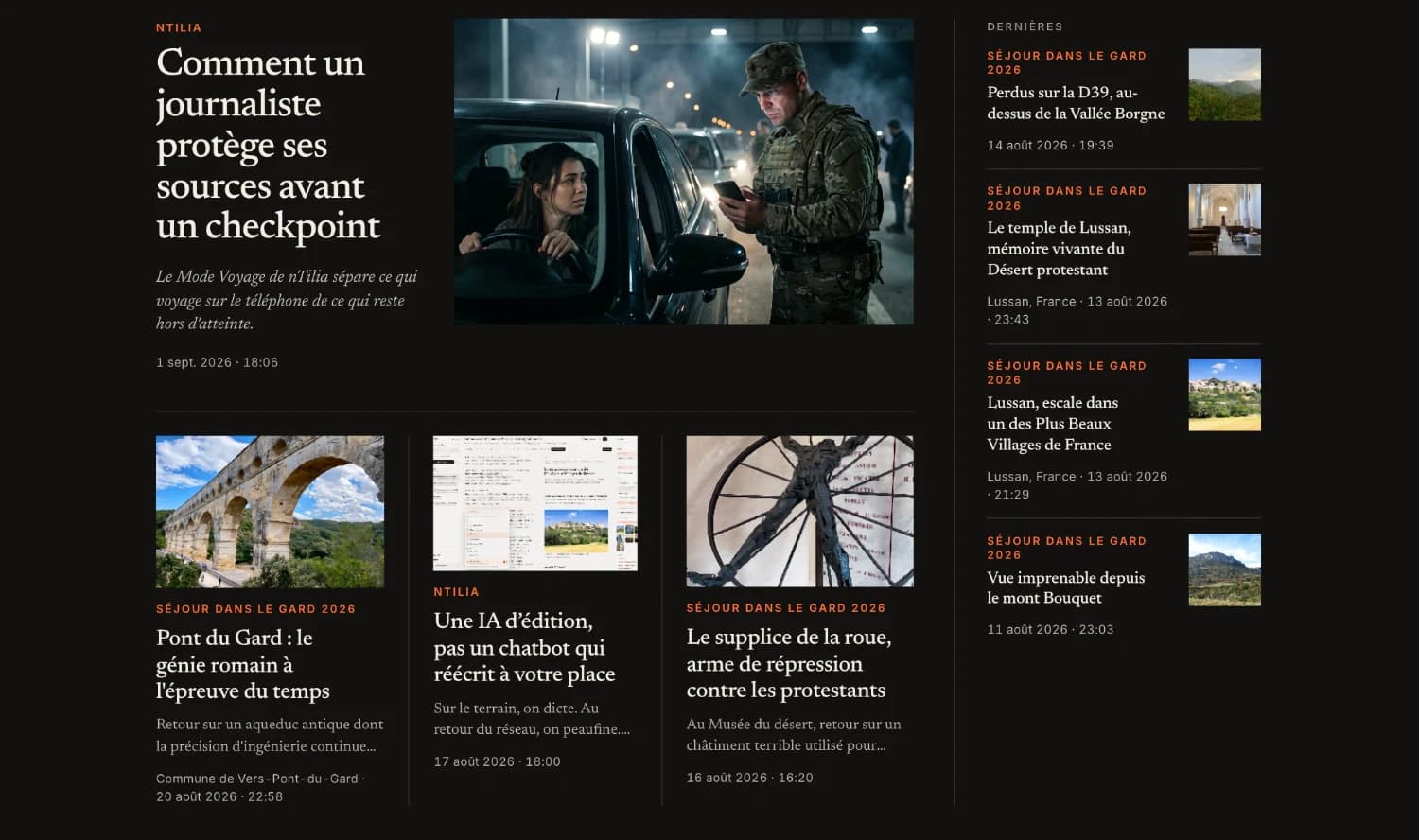
Write in French, publish in English too, or the other way around. AI translates, you approve. Stable URL, FR/EN switch.

The nTilia editor: an article in progress, reading preview, and properties panelThe nTilia editor: an article in progress, reading preview, and properties panel

Field missions

One folder per trip. The ZIP export takes that Mission only.

Import .md

Pick up your existing files without retyping a word.

Installable everywhere

On phone and desktop. Your notes stay local.

FAQ

Your questions, before you dive in.

Are my notes private?

Yes. Everything stays on the device by default. Nothing leaves without an action from you. Notes marked “device” never sync. Publishing is a choice, article by article. With the vault on, notes, takes and missions are encrypted on the device. Once synced, the other notes are readable by nTilia for sync and the journal.

Does offline really work?

Yes. Capture, dictation, takes and editing work with no network. Transcription runs on the device. Sending a photo already attached to an article, and cloud AI, need a connection. Sync resumes on its own when Wi-Fi is back.

How much does the AI cost?

The free plan includes 40 credits every week. Every action is triggered by you, never in the background. Your balance stays visible in the editor.

Is the file format proprietary?

No. Open Markdown: import .md files, export a ZIP (notes, audio, metadata). Leave whenever you want, with everything.

How do I try it?

Open the editor in your browser and start writing. Free, no credit card.

Can I publish in French and English?

Yes. One article, two linked versions. AI proposes the translation. Nothing goes live until you review and publish. Readers pick FR or EN. Notes you don’t translate stay in their original language.

What is a Mission?

A field folder. You create it before a trip. Notes, photos and audio attach to it. Notes with GPS appear on a private map. The ZIP export takes that folder only. Everything else stays in Unassigned.

Do audio and sensitive notes go to the cloud?

Takes stay on the device until you attach them to a note. Transcription runs locally: the audio never leaves the phone. Notes marked “device” never sync.

Your next story starts in the field.

Open a Mission. Capture. Encrypt what must stay here. Publish when it’s ready.

Start for free

Free · No credit card · Works offline